
Your website may be the first place someone decides whether to trust you with their financial records, income details, and personal information. Before they speak to you, they are looking for reasons to feel comfortable taking that next step.
A website that leaves your qualifications unclear, mixes services together, or makes contacting you difficult can cost you inquiries. Those problems become harder to manage when tax season arrives and your time is already spoken for.
Good tax preparation website design starts with evaluating how the website will support your business. Whether you hire a designer, choose a prebuilt template, or use a DIY builder, here is what to check before committing your budget.
Already have a tax preparation website live and want a checklist for what it should include? See Tax Preparation Website Features. This guide is for the decision before that one, choosing the right option in the first place.
Make Sure It Builds Trust Around Sensitive Information
Someone considering your services may eventually share Social Security numbers, income documents, and financial details. Your website needs to explain who you are and how that relationship will work.
Look for room to display your actual qualifications prominently: CPA or Enrolled Agent credentials where applicable, relevant experience, and years in practice. Explain your PTIN status accurately without presenting it as equivalent to a CPA license or Enrolled Agent credential.
Then examine the document-submission process. Does the website explain whether clients use a secure portal, receive an invitation after onboarding, or bring documents to an appointment? A vague “contact us” leaves that question unanswered.
Ask the provider where submitted information goes, who can access it, and whether a proposed form is intended for sensitive documents. The IRS recommends protected, encrypted document sharing, so an ordinary contact form should not become an improvised document portal.
Plain-language privacy information matters, too. HTTPS protects the connection, but it does not explain how your business handles records. Visitors need understandable instructions alongside the technical safeguards.
Check Whether It Can Explain Your Services Without Confusing Them
Individual returns, business returns, bookkeeping, IRS representation, and prior-year filing involve different needs. A visitor should quickly recognize whether you handle their situation.
Evaluate the proposed structure using your actual services. Can someone distinguish ongoing bookkeeping from annual tax preparation? Can a business owner tell which types of returns you prepare? Is representation explained separately from routine filing?
For accountant website design, broad headings such as “Accounting Solutions” can hide the service a prospective client came to find. Ask to see how your offerings would be organized before approving a layout.
Separate pages may suit services that need explanation. A shorter website may work when your offering is narrow. What matters is having enough space to explain who each service is for and what happens next.
Clarify who writes and organizes that content. Does the designer interview you and draft it, edit material you supply, or expect finished copy? That answer affects both your workload and the launch date.
Confirm It’s Ready for a Seasonal Rush
Evaluate the website against your busiest weeks, when inquiries arrive while you are preparing returns and meeting clients.
Ask for a demonstration of the intake process. Can a prospective client identify the service they need, provide basic contact information, and receive clear next steps without calling? Can an established client find document-request instructions without sending another email?
Keep initial inquiries separate from sensitive document collection. The first step should gather enough information to route the request without asking for tax records unnecessarily.
Check whether you can update seasonal availability yourself. You may need to announce that you are accepting returning clients only, offer a waitlist, or explain when new appointments become available.
Finally, ask about hosting capacity, traffic limits, monitoring, and support during busy periods. A quick demonstration during a quiet month does not establish how the website will perform when demand increases. Ask how the provider will assess that before launch.
Evaluate the Mobile and Scheduling Experience
Some clients will be less comfortable with technology. Others will be trying to book an appointment from a phone between work and family responsibilities. Test the process with both in mind.
Open an actual example on your phone. Read a service description, find pricing information or an explanation of how fees are determined, and follow the next step.
Check whether text is readable without zooming, buttons are easy to tap, and forms ask only necessary questions. A website can technically be responsive while still being frustrating to use.
Scheduling deserves its own test. Can someone request a consultation, choose an available appointment, or arrange a document drop-off without a chain of phone calls?
Ask whether scheduling is included, requires a separate subscription, or simply links to an outside service. Confirm how availability stays current and what clients receive after submitting a request. If appointments need your approval, the confirmation should make that clear.
Ask What “SEO-Ready” Actually Includes
“SEO-ready” needs an explanation before it belongs in your buying decision.
Ask the provider to show what they configure and what you can edit afterward. That includes page titles, meta descriptions, headings, and the content explaining your services and location.
Editing access and initial setup are separate questions. A platform may let you change a title without anyone having written a useful title for launch. Ask which work the quoted price includes.
Consider what happens later. Can you add a service page, publish educational content, or expand into another service area without rebuilding the website? Who handles those additions, and how are they priced?
Be cautious about guaranteed rankings or visibility. A useful discussion should address your content, local competition, and the work needed after launch. Being able to edit SEO settings gives you tools. It does not establish that prospective clients will find your website.
Compare Total Cost, Workload, and Timeline Against the Calendar
Compare the routes by what you need, what you can contribute, and when the website must be ready.
A Custom Build
A custom build can make sense when you have several service lines, specific intake requirements, or workflows that need a tailored structure.
Clarify the scope: content writing, page design, scheduling, portal connections, revisions, and launch responsibilities. Ask which requests would add cost or extend the schedule.
A Prebuilt Template
A prebuilt template can make sense when its existing structure fits your services and you want a defined starting point.
Check what “template” means in the offer. Is it a download you install yourself, or a service that includes setup? Confirm who adds your branding and content, which changes are allowed, and whether hosting is separate.
Review the actual pages and mobile experience. Industry imagery alone does not establish that the structure fits your business.
A DIY Builder
A DIY builder can suit a business with straightforward needs and an owner willing to write, assemble, test, and maintain the website.
Account for your time alongside the subscription. Check scheduling, form, and SEO features at the plan level you would actually buy. Ask what can be exported if you later move platforms.
Put the Full Budget and Launch Date in Writing
Request an itemized first-year cost covering design or setup, hosting, domain registration, software subscriptions, and maintenance. Ask about renewal costs and charges for later edits.
Work backward from when clients begin looking for tax help. Set dates for content, review, testing, and launch, with time to fix problems before appointments fill your calendar.
“Finished designing” is not the same as ready to use. Your launch plan should include testing forms, scheduling, portal links, and notifications.
Choose Around Your Clients and Your Busiest Weeks
The right website builds trust quickly, explains your services clearly, and supports clients during a seasonal rush. Choose the approach that meets those needs within your budget and available time.
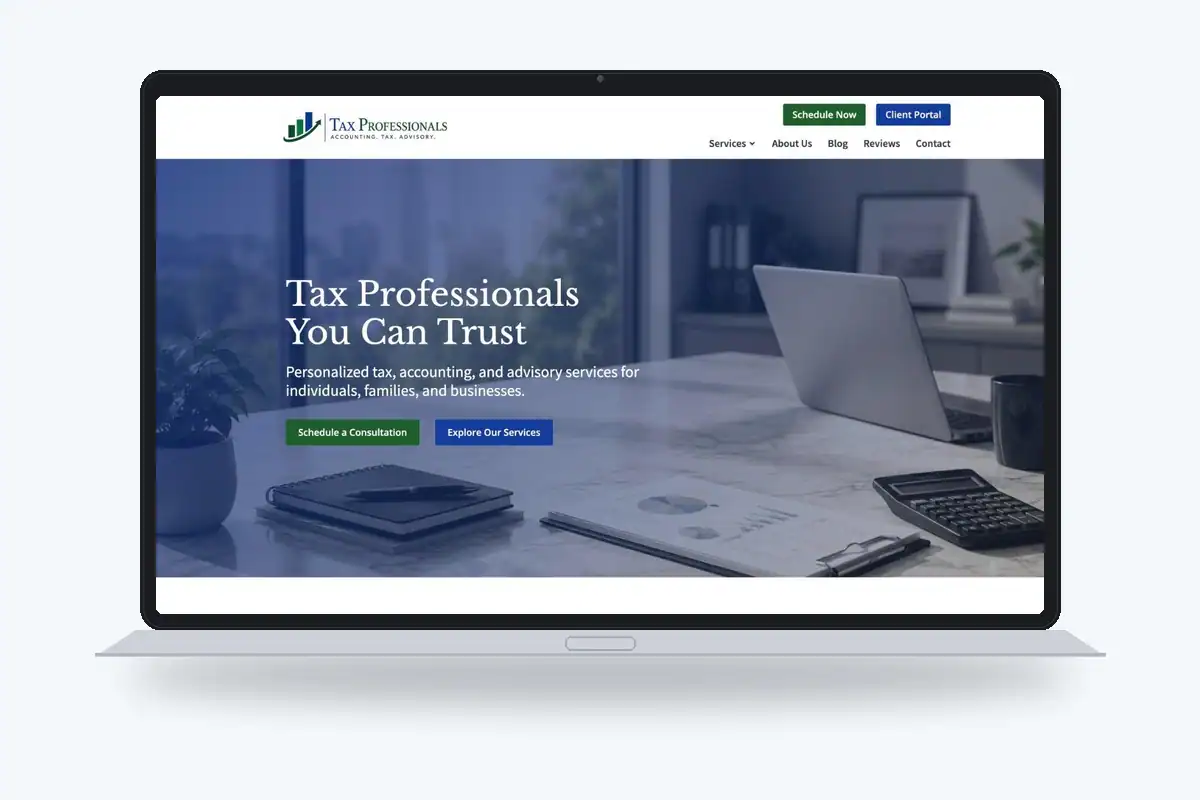
AJT Digital Designs offers a Tax Professionals Website Template with full-site and landing-page options, providing a structure built around the industry rather than a blank page. Explore the full-site template or review the landing page template against the services and next steps your clients need.
Get in touch to talk through what your situation needs.